





The ‘Evil Twin’ Wi-Fi Scam Targeting Travelers
The ‘Evil Twin’ Wi-Fi Scam Targeting Travelers

Whether you’re avoiding pickpockets or riding in a taxi, it’s always a good idea to stay alert and exercise caution while traveling. Finding your way in an unfamiliar place can leave you vulnerable, and now, a new scam has emerged to be wary of: so-called “evil twin” Wi-Fi networks. Many international travelers leave their phones on airplane mode and rely exclusively on Wi-Fi rather than pay roaming fees, which unscrupulous ne’er-do-wells have begun to take advantage of. Here’s everything you need to know about this new Wi-Fi scam — and how to avoid it.
How They Get You
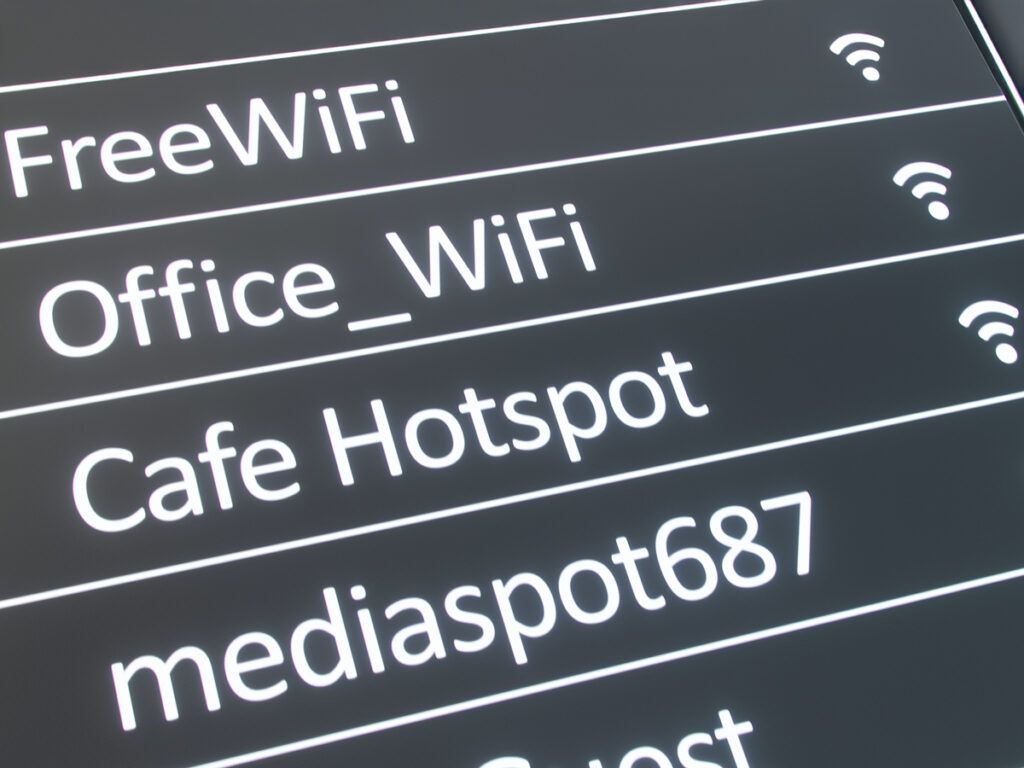
The scam works like this: In places where it’s routine to connect to a public Wi-Fi network, such as an airport, hotel, or coffee shop, hackers will set up a free wireless network that mimics the name of a legitimate one. These access points typically have unassuming names — for example, the name of the airport or the cafe — that look safe but actually allow the network’s creator to see what you’re doing on your phone or laptop and gain access to your personal information.
This can create all kinds of problems, especially if you’re logging in to your email or bank account. Because the networks don’t require a password, many unsuspecting victims assume the venue is simply providing free internet access out of kindness. Spoiler alert: It isn’t.
“Evil twin” networks are more common than you might think, in part because they’re so easy to set up; they require little more than a laptop and some basic software. What makes the scam so easy to fall prey to is a habit most of us share: the desire for fast, free Wi-Fi while out and about, particularly when it’s expensive or impractical to connect to a cellular network. This sometimes causes us to overlook our need to protect our data.
Safety First
There are a number of best practices to keep in mind in order to avoid the “evil twin” network scam, and thankfully, most of them are rooted in common sense. First, don’t join a free network (be it in a hotel, airport, or coffee shop) unless it’s password-protected. Next, turn off the “auto-connect” and file sharing options on your device so you can actively choose which networks to connect to. And, if possible when using a public network, avoid logging in to sensitive accounts altogether, especially any that have your financial information saved.
You can also go one step further by using a virtual private network (VPN), which encrypts your data and makes hacking it considerably more difficult. And if you’d like to avoid public Wi-Fi altogether, another option is bring a personal hotspot with you so you’re always on your own private network. (However, you will need to have cellular service for this.) In addition to being safer, this option is also more convenient — you won’t have to worry about constantly logging in and out of different access points.
Featured image credit: © Asia-Pacific Images Studio—E+/Getty Images
More from our network
Daily Passport is part of Inbox Studio, an email-first media company. *Indicates a third-party property.